
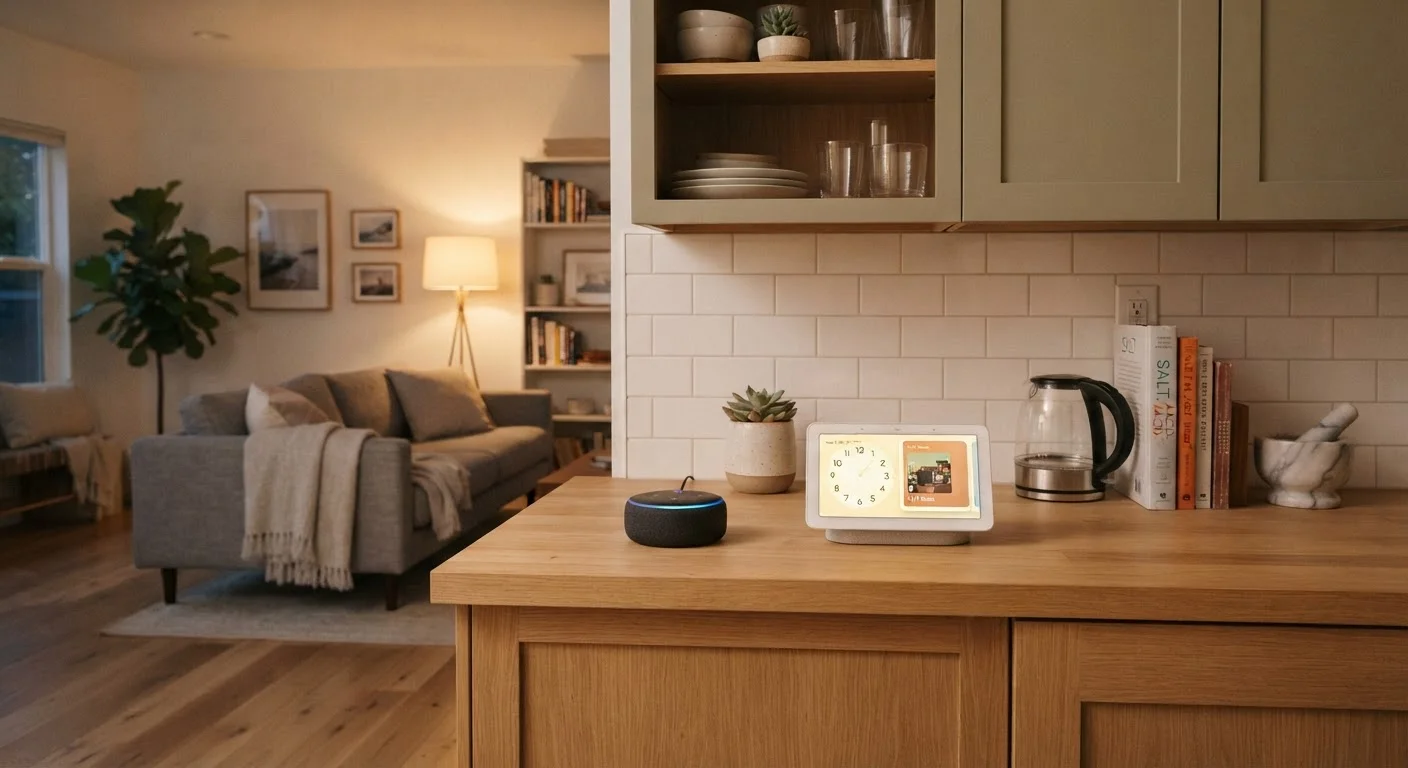
What Each Device Actually Does
At their core, both smart speakers and smart displays run a voice assistant - typically Amazon Alexa, Google Assistant, or Apple's Siri - and connect to your home's Wi-Fi to answer questions, play music, set timers, and control compatible smart home devices. If you're still building out that foundation, it helps to start with what "smart home" actually means before adding hub devices.
The dividing line is output. A smart speaker communicates entirely through audio - a voice responds to your spoken commands. A smart display does everything a smart speaker does, but surfaces information on a built-in touchscreen. That screen can show weather forecasts, YouTube videos, step-by-step recipes, security camera feeds, caller ID during a video call, and visual confirmations when you toggle a smart light.
Neither device replaces a phone or tablet for productivity tasks. Think of them as ambient assistants - always ready to respond, but intentionally limited in scope. If you're weighing a screen-based device more broadly, the comparison of tablet vs. laptop for everyday tasks covers what a dedicated touchscreen device can do that a smart display cannot.
Side-by-Side: How They Compare
The table below captures the most practical differences most households will encounter.
| Criterion | Smart Speaker | Smart Display |
|---|---|---|
| Output type | Voice only | Voice + touchscreen |
| Video calling | Not supported | Supported (built-in camera) |
| Camera included | No | Yes (front-facing) |
| Security camera viewing | No | Yes (live feed on screen) |
| Recipe / visual guidance | Audio instructions only | Step-by-step visual display |
| Typical footprint | Small, compact | Larger (screen adds size) |
| Power consumption | Lower | Higher (screen stays on) |
| Smart home control | Full voice control | Voice + visual dashboard |
| General price range | Lower | Higher |
One detail worth noting: smart displays draw more power continuously and take up more physical space. For a bedroom nightstand or a small apartment, that trade-off can matter as much as price.
Smart Home Control: Is There a Meaningful Difference?
For pure smart home automation - turning lights on and off, locking doors, adjusting a thermostat - both device types perform nearly identically. The voice command experience is the same because the underlying assistant is the same. Where the display earns its keep is in confirmation and discovery: you can see a visual dashboard of which lights are on, drag a thermostat slider, or check whether a door sensor is showing "open" or "closed" without listening for spoken feedback.
Compatibility depends far more on which ecosystem you're in (Amazon, Google, Apple) than on whether your hub has a screen. The emerging Matter standard is working to reduce those ecosystem walls - our explainer on what the Matter standard actually does covers the current state of cross-brand compatibility honestly.
35%
U.S. adults with a smart speaker at home
According to Pew Research Center survey data, roughly one-third of American adults reported owning a smart speaker.
2x+
Average price premium for smart displays
Smart displays typically cost at least twice as much as entry-level smart speakers from the same ecosystem at launch.
If you're planning a more complete setup, a room-by-room smart home planning walkthrough can help you think through where a hub device makes the most sense before you buy.
Privacy: What Both Devices Share - and What to Do About It
Both smart speakers and smart displays use always-on microphones that listen for a wake word. This is a hardware design choice, not a feature gap between the two types. The privacy implications are essentially identical: the device sends audio to cloud servers for processing after the wake word is detected, and your usage data may inform personalization features.
Muting the Microphone Is Always an Option
Every major smart speaker and smart display ships with a physical mute button that disables the microphone at the hardware level. When muted, the device cannot hear or transmit audio to the cloud. It's a simple habit to build if you're spending time near the device but don't intend to use it. Some smart displays also include a physical camera shutter for additional privacy control.
Smart displays do add a camera, which introduces an additional consideration - especially if the device sits in a bedroom or private space. Most models include a physical camera shutter or privacy switch. Using it when the device isn't needed for calls is a straightforward mitigation step. For a fuller picture of what these devices collect and what you can realistically do about it, see our article on the privacy trade-offs of always-on home devices.
