
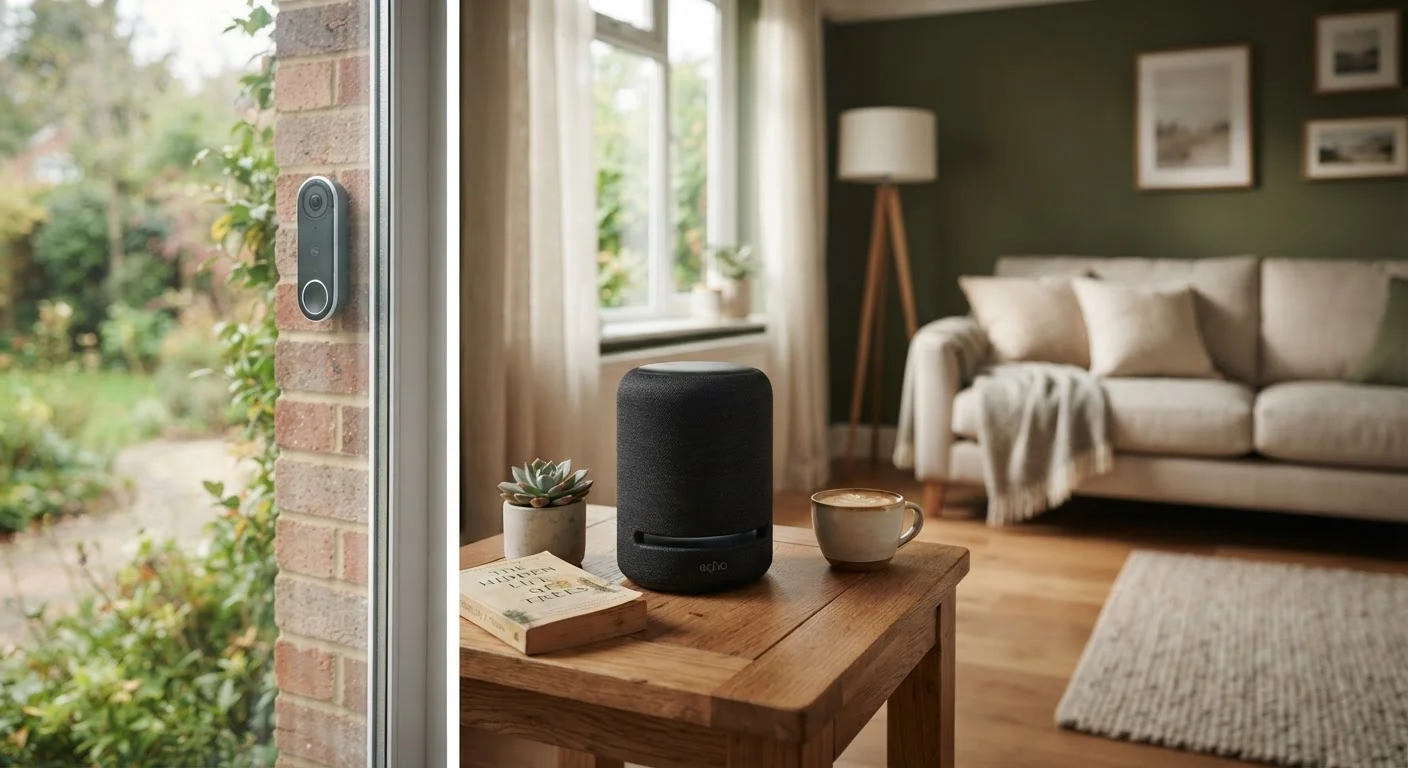
What 'Always-On' Actually Means
Smart speakers, video doorbells, and indoor security cameras are designed to stay active around the clock. For voice assistants, this means a microphone is continuously listening for a wake word - a short audio trigger like "Hey" followed by a device name. For cameras and doorbells, it means a lens is recording motion events or even continuous footage depending on your settings.
The always-on nature is not a bug - it's the core feature. But it also means these devices are collecting data in your home more or less continuously. That data takes different forms: audio clips from voice interactions, video footage stored locally or in the cloud, motion detection logs, and usage patterns that build a profile of your daily routines.
What surprises many users is how that data flows after it leaves the device. Voice assistant queries may be reviewed by human contractors for quality assurance. Camera footage stored in manufacturer clouds is subject to the company's privacy policy, which can change. Usage metadata - when lights turn on, when you arrive home - may be shared with advertising partners or sold to data brokers depending on the terms of service you agreed to.
What 'Wake Word' Detection Actually Involves
Most smart speakers process the audio needed to detect a wake word entirely on-device - only sending audio to company servers once the wake word is recognized. However, false activations do occur, meaning unintended audio clips can be uploaded. Most platforms let you review and delete these clips in their companion apps, which is worth doing periodically.
The Genuine Benefits Worth Acknowledging
Hands-free convenience for everyday tasks
Voice commands let you set timers, control smart home devices, and get quick answers without picking up a phone - a genuinely useful time-saver for many households.
Real deterrent effect for home security
Visible cameras and video doorbells are broadly associated with reduced opportunistic theft, and recorded footage can provide useful evidence if an incident does occur.
Remote monitoring gives practical peace of mind
Being able to check in on a home from a phone - whether checking on a pet, a child, or an elderly relative - provides a level of oversight that isn't otherwise practical.
Smart routines reduce energy waste
Devices that learn your schedule can automate lighting and climate control, potentially reducing unnecessary energy use without manual intervention.
The privacy conversation shouldn't crowd out the real value these devices provide. A video doorbell does meaningfully deter porch theft and gives you a visual record if an incident occurs. Smart speakers provide hands-free access to timers, reminders, and information that most users find genuinely useful day-to-day. And for households with elderly members or young children, always-on monitoring can provide real peace of mind that wouldn't otherwise be practical.
These are not trivial benefits, and dismissing them entirely misses the point. The goal is to weigh them honestly against the privacy costs - not to assume one automatically outweighs the other. For a closer look at how security cameras work in practice, see our guide to camera specs explained.
The Privacy Costs That Often Go Unexamined
Microphones and cameras collect data continuously
Even in standby mode, voice-activated devices monitor ambient audio for wake words, meaning private conversations can be captured incidentally if the trigger is misheard.
Privacy policies permit broad data sharing
Many manufacturer terms of service allow usage data to be shared with advertising networks or sold to data brokers - practices that are technically disclosed but rarely read.
Cloud-stored footage carries third-party access risks
Video stored on manufacturer servers may be accessible to employees for quality review, or potentially shared with law enforcement in response to legal requests.
Settings that protect privacy are hard to find
Data deletion tools, microphone sensitivity controls, and opt-out options tend to be buried inside companion apps rather than surfaced during device setup.
Device data builds detailed behavioral profiles
Usage patterns - when you wake up, when you leave home, what music you play - accumulate over time into profiles that can be used for targeted advertising or behavioral inference.
The trade-offs are real and often poorly communicated at the point of purchase. Most privacy policies are written broadly enough to permit extensive data sharing, and settings that limit collection are frequently buried in apps rather than presented upfront. It's also worth noting that even when you delete a voice recording in an app, retention policies vary - some manufacturers keep metadata or transcripts longer than the audio itself.
Concerns about browser extensions and app permissions follow a similar pattern - broad permissions granted once and rarely revisited. Our article on what app permissions actually mean covers the same underlying dynamic in a mobile context.
~25%
U.S. homes with a smart speaker
Pew Research Center surveys have consistently found roughly one in four American adults lives in a home with a smart speaker, making these among the most rapidly adopted connected devices.
72%
Users unaware of voice clip review
A survey by privacy advocacy group Consumers International found a large majority of smart speaker users were unaware that voice recordings could be reviewed by human contractors.
Practical Steps to Reduce Your Exposure
You don't have to choose between convenience and all privacy. There are several concrete steps that meaningfully limit data collection without disabling the features you use most.
- Use hardware mute buttons. Most smart speakers include a physical mute switch that disconnects the microphone at the hardware level - not just in software. Use it when you want guaranteed silence.
- Review and delete your history regularly. Voice assistant apps typically include a history section where you can delete stored recordings. Setting an automatic deletion window (three or six months) reduces long-term data accumulation.
- Audit camera storage settings. If your camera uploads footage to the cloud, confirm who can access it, how long it's retained, and whether law enforcement can request it without your consent.
- Check your app permissions. The companion apps for home devices often request permissions - microphone, location, contacts - beyond what the device itself needs. Revoke anything that isn't clearly necessary.
- Read the privacy policy summary, not the full document. Many manufacturers now publish plain-language privacy summaries. Look for what data is sold or shared with third parties, and what happens to your data if you cancel the service.
For broader device security habits - including router settings and firmware updates - our article on home device security habits covers the practical groundwork worth building first. And if you've encountered alarming claims about smart home risks, it's worth checking what common smart home security myths the evidence actually supports versus what tends to be overstated.
