
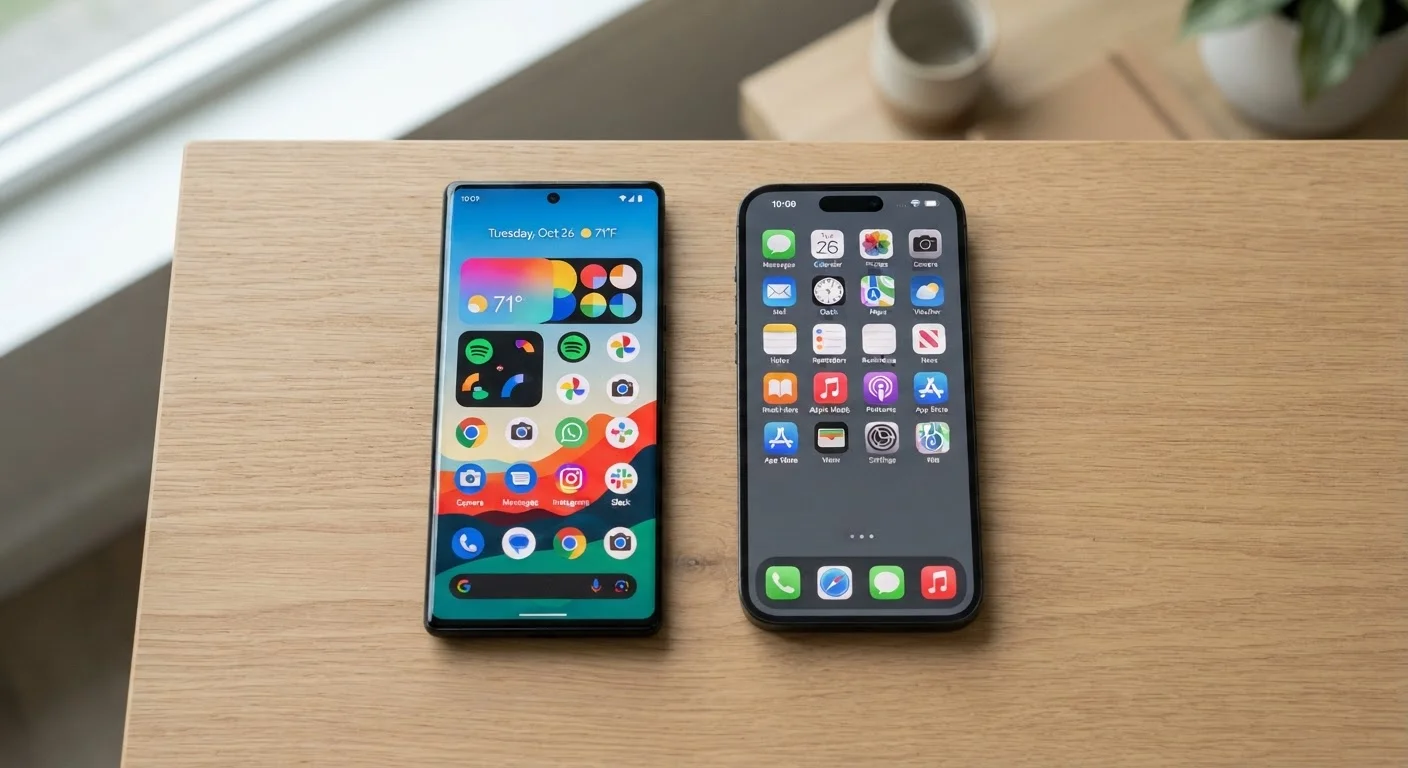
How Each Platform Handles Customization
One of the most practical differences between Android and iOS is how much control each gives you over the phone's interface. Android lets you replace the home screen launcher entirely, set third-party apps as defaults for calling, messaging, or browsing, and arrange icons freely - including leaving empty space on screen if you prefer. Widgets can be resized and placed nearly anywhere.
iOS has become more flexible in recent years, adding widgets, custom app icons (via Shortcuts), and a customizable lock screen. But these tools have limits that Android doesn't impose. For most people, those limits won't matter at all. For users who like tinkering, they might.
If you've ever wanted to change the default map app, email client, or browser on your phone, that's worth factoring in. Both platforms now allow changing some defaults, but Android historically offers broader scope. Our guide to hidden phone settings covers changes that apply to both platforms and can make daily use noticeably smoother.
| Criterion | Android | iOS |
|---|---|---|
| Home screen customization | Highly flexible, replaceable launcher | Improved, but more structured |
| Default app control | Broad - most app types | Expanded but still limited |
| Software update timeline | Varies by manufacturer | 6+ years, uniform rollout |
| Hardware variety | Dozens of brands and price points | iPhone line only |
| Tracking transparency | Improving; varies by version | App Tracking Transparency required |
| Ecosystem integration | Google services, cross-platform | Deep Apple device integration |
| App availability | Very broad; some app gaps | Very broad; some app gaps |
| Switching difficulty | Moderate effort required | Moderate effort required |
Software Updates: Who Gets Them, and for How Long
Software updates matter for two reasons: new features and security patches. On iOS, when Apple releases an update, virtually every supported device gets it at the same time. Apple has generally supported devices with major iOS versions for six or more years after launch.
Android's update situation is more fragmented. Because Android runs on hardware from many different manufacturers, update timelines depend on those manufacturers, not just Google. Some brands commit to four or five years of updates; others offer far less. Google's own Pixel phones receive updates directly and promptly, but that's not the case across the Android ecosystem.
Security patches follow the same pattern. If staying current on security fixes matters to you - and it generally should - it's worth checking a specific Android device's update policy before committing to it. For a deeper look at what updates actually do, see what happens when you tap Update.
~72%
Global smartphone market share held by Android
According to StatCounter's global mobile OS data, Android consistently accounts for roughly 70-72% of worldwide smartphone usage.
6+ years
Typical iOS major update support window
Apple has historically provided major iOS updates to devices for six or more years after their original release date.
Varies widely
Android update support by manufacturer
Android update commitments range from two years on some budget devices to five or more years on select flagship lines, depending on the manufacturer.
Privacy and App Permissions: Similar Goals, Different Approaches
Both Android and iOS have significantly improved privacy controls over the past several years. Both let you grant or revoke permissions - like location, microphone, and camera access - on a per-app basis. Both offer options to share approximate location rather than precise, and both can show you which apps accessed your camera or microphone recently.
The philosophical difference is in defaults and transparency. Apple's App Tracking Transparency framework requires apps to explicitly ask permission before tracking you across other apps and websites. Android has moved toward similar controls, though implementation can vary by device manufacturer and Android version.
Neither platform makes privacy automatic - it still requires some attention from the user. Understanding what each permission actually grants is genuinely useful. Our plain-language guide to app permissions explains what you're agreeing to when you tap Allow, on either platform.
Ecosystems, Switching Costs, and What Actually Transfers
The platform you use shapes more than just your phone. iOS plugs into iCloud, iMessage, FaceTime, AirDrop, and - if you own one - an Apple Watch or Mac. These integrations work smoothly within the Apple ecosystem and don't have direct equivalents if you switch to Android.
Android integrates with Google services - Gmail, Google Photos, Google Drive, Google Assistant - most of which are also available on iOS. That cross-platform availability is a genuine advantage: Google's services follow you regardless of what phone you carry.
Switching platforms involves real friction. Paid apps generally don't transfer between stores. iMessage conversations don't move to Android automatically (and you'll want to deregister your number from iMessage before switching, or texts from other iPhone users may not reach you). Photos, contacts, and calendar data transfer reasonably well, but the process takes effort. For users deeply embedded in one ecosystem, that friction is worth weighing honestly - not as a reason to avoid switching, but as a practical factor to plan for. You might also find our overview of phone backup options useful before making any change.
