
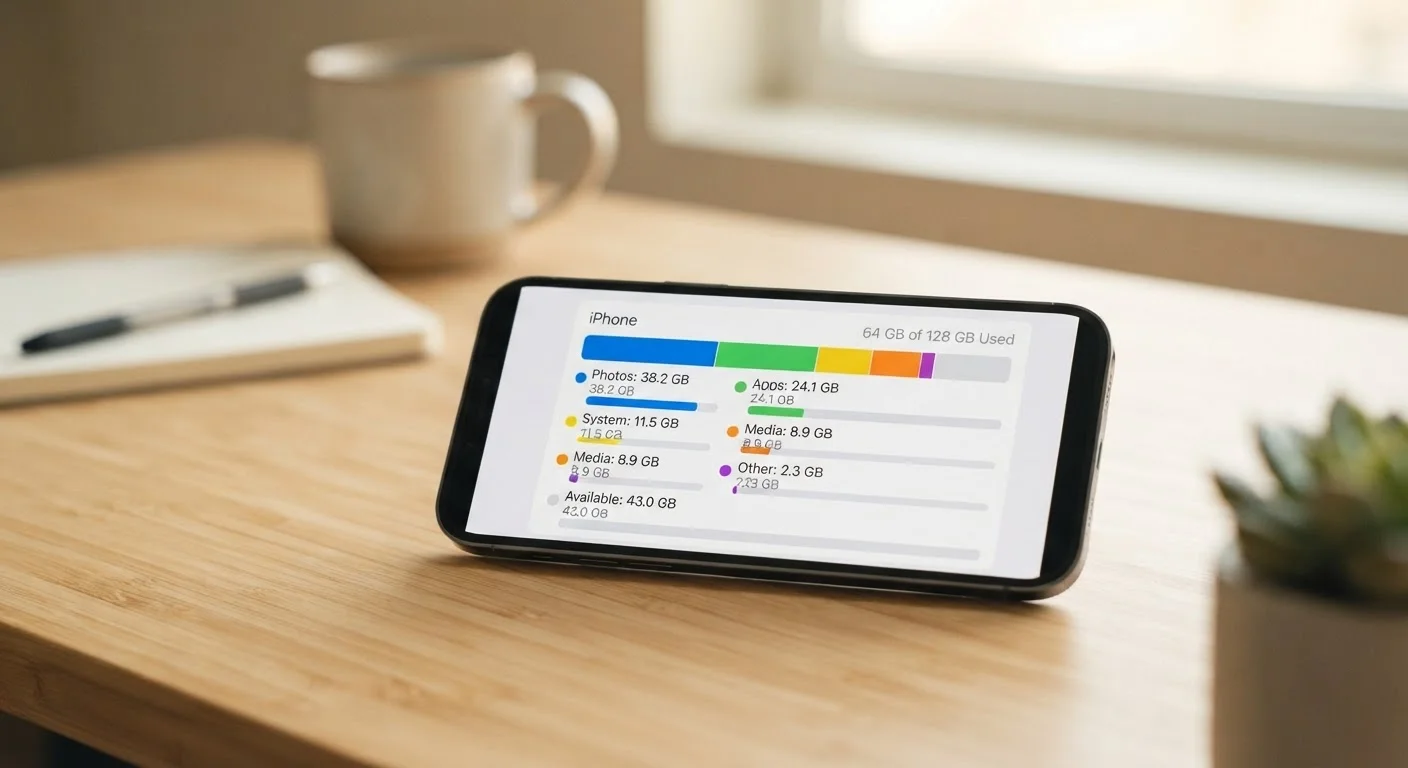
How Your Phone Categorizes Storage
When your phone flashes a "storage full" warning, the natural instinct is to delete a few photos and move on. But that rarely solves the underlying problem. To actually free up space - and keep it free - you need to understand how your phone organizes what it stores.
| Storage categories (typical) | Apps, Photos & Videos, System, Cache, Other/Misc |
| Where to find storage breakdown (iOS) | Settings > General > iPhone Storage |
| Where to find storage breakdown (Android) | Settings > Storage |
| Recently deleted retention period | Up to 30 days (photos/videos) |
| System storage range (modern devices) | Roughly 5-15+ GB depending on device and OS version |
| App data vs. app install size | App data can exceed the app install size many times over |
Every smartphone operating system (iOS and Android included) divides storage into broad categories. These typically appear when you go to Settings > Storage (or Settings > General > iPhone Storage on iOS). The labels differ slightly by platform, but the underlying categories are consistent:
- Apps: The installed application itself, plus any data the app keeps locally (your downloaded playlists, saved game progress, offline maps).
- Photos & Videos: Your camera roll, screenshots, and any media synced from other sources.
- System: The operating system files required to run your phone. This space is largely non-negotiable.
- Cached Data: Temporary files apps store to load content faster - think thumbnail previews, recently streamed video segments, and web page assets.
- Other / Miscellaneous: A catch-all that can include offline documents, backups, message attachments, and files your phone can't neatly classify.
Understanding what falls into each bucket is the first step toward reading your storage report accurately, rather than guessing what to delete.
The Categories That Surprise People Most
Most people expect photos and apps to be the biggest culprits - and often they are. But several storage categories catch users off guard.
Cache
Temporary files an app stores locally so it can load content faster on future visits. Cache is safe to clear in most cases, though the app will rebuild it over time.
App Data
Files an app creates and stores on your device beyond the app itself - such as downloaded content, saved settings, and user-generated files. Deleting an app typically removes this data permanently.
System Storage
Space used by the phone's operating system, including core OS files, update packages, and system logs. This cannot be meaningfully reduced by the user.
Offloading
An iOS feature that removes an app's binary from the device to save space while preserving the app's local data, so it can be restored when the app is reinstalled.
Recently Deleted
A temporary holding folder for photos and videos you've deleted, retained for up to 30 days before permanent removal. Space is not fully freed until this folder is emptied or the retention period ends.
System Storage Is Larger Than It Looks
Your phone's operating system takes up a meaningful chunk of storage before you install a single app. On top of that, many platforms reserve additional space for system updates, logs, and recovery partitions. This figure can range from several gigabytes to well over 10 GB on current flagship devices. You cannot reclaim this space without reinstalling the OS - and there's rarely a good reason to.
The "Other" Category Can Be Enormous
iOS users, in particular, often notice a large gray "Other" or "System Data" segment in their storage breakdown. This includes Siri voice models, Safari's browser cache, iMessage attachments, and streaming app caches (like music or podcast apps storing downloaded content). On Android, a similar catch-all exists, though it is often broken out into finer subcategories depending on the device manufacturer.
App Data vs. the App Itself
An app might install at 150 MB but balloon to several gigabytes over time as it accumulates user data - saved documents, downloaded content, or a large image cache. This is why deleting and reinstalling an app sometimes frees far more space than you'd expect. It's also why the distinction between an app's footprint and its stored data matters in practice.
Deleted Files That Aren't Gone Yet
Both iOS and Android maintain a recently deleted folder for photos and videos, typically holding items for 30 days before permanently erasing them. If you deleted 2 GB of videos last week, that space won't be fully recovered until the retention period expires - or you manually empty the recently deleted folder.
Good phone hygiene connects directly to overall device longevity. See our guide to maintaining your smartphone for the long haul for broader practices that keep your device running well.
Reading Your Storage Report Accurately
The storage screen on your phone is more informative than most users realize - if you know what to look for.
Advertised Storage vs. Available Storage
A phone marketed as "128 GB" will never show 128 GB of free space out of the box. The operating system, pre-installed apps, and reserved system partitions claim a portion before you turn the device on for the first time. The gap between advertised and available storage is normal and expected - it is not a defect or inaccuracy.
On Android
Navigate to Settings > Storage. You'll see a bar graph and a breakdown by category. Tapping each category shows which specific apps or file types are contributing. Many Android devices also include a "Free up space" tool that surfaces large files, duplicate photos, and unused apps for review - without automatically deleting anything.
On iPhone (iOS)
Go to Settings > General > iPhone Storage. The list shows every app sorted by size, with both the app size and its associated documents and data listed separately. Scroll down past the app list to find iOS recommendations - such as offloading unused apps or reviewing large attachments in Messages.
What "Offloading" Actually Means
iOS offers an offload option that removes the app binary but keeps its data on the device. If you reinstall the app later, your data returns. This is useful for apps you use seasonally or infrequently. Android does not have a direct equivalent, though moving apps to an SD card (on supported devices) serves a similar space-saving purpose.
Storage pressure can also affect how your phone performs in other ways. If you've noticed slowdowns alongside low storage, the myths around smartphone performance article clarifies what low storage actually does - and doesn't - affect.
