
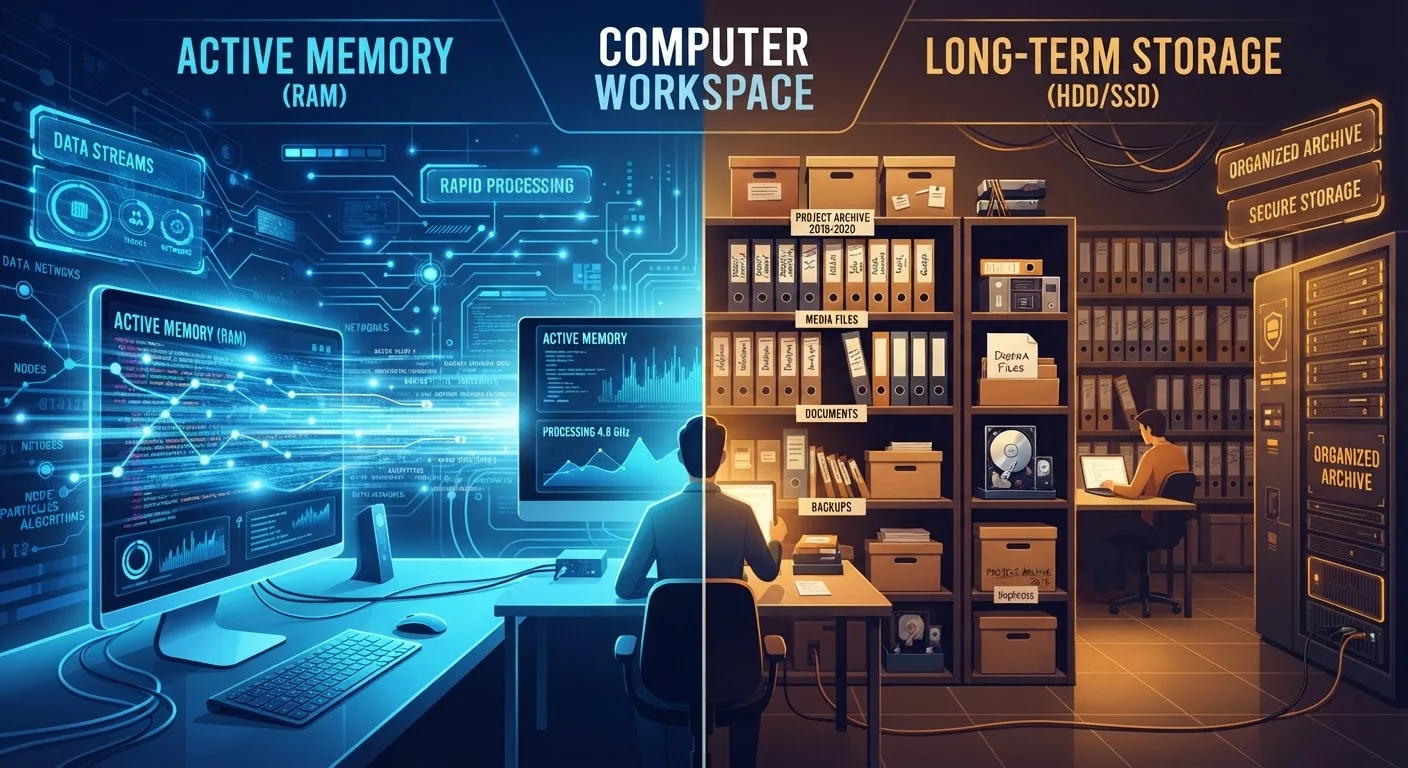
What RAM Actually Does
Think of RAM as your desk. When you sit down to work, you pull out only the papers you need right now and spread them across the desk surface. The more desk space you have, the more you can work on simultaneously without shuffling things back and forth to the filing cabinet. RAM works exactly this way - it holds the data your processor is actively using at this moment.
When you open a web browser, that application loads from storage into RAM so your CPU can access it near-instantly. When you switch tabs, type a document, or stream a video, all of that live activity runs through RAM. The key detail: RAM is volatile, meaning it's completely wiped every time you power off. Nothing is saved there permanently.
A typical consumer laptop today ships with 8 GB or 16 GB of RAM. If your system is using more RAM than it has available, it starts borrowing space on your storage drive - a process called virtual memory or paging. That borrowed space is far slower, which explains why an overloaded machine feels sluggish even if the drive itself isn't full. See common myths about device performance to understand how this plays out on phones too.
What Storage Actually Does
Storage is the filing cabinet in that same office metaphor. Everything that needs to exist beyond the current session lives here - your operating system, installed applications, documents, photos, music, and videos. Unlike RAM, storage is non-volatile: the data stays put when you shut down, unplug the device, or restart after an update.
Storage comes in two main physical forms. Traditional hard disk drives (HDDs) use spinning magnetic platters to read and write data. Solid-state drives (SSDs) store data on flash memory chips with no moving parts. The practical difference is significant - SSDs are dramatically faster, more durable, and increasingly common. How your drive type shapes everyday speed goes deeper on that specific contrast.
Storage capacity is measured in gigabytes (GB) and terabytes (TB). Modern laptops commonly ship with 256 GB to 1 TB of storage. Running low on storage prevents you from saving new files or installing updates, but it does not directly cause the app-switching slowdowns that low RAM produces.
| Criterion | RAM | Storage |
|---|---|---|
| Primary role | Active working memory | Long-term file retention |
| Data persistence | Erased on shutdown | Retained indefinitely |
| Typical capacity | 8 GB - 64 GB | 256 GB - 4 TB+ |
| Speed | Extremely fast | Slower (HDD) to fast (SSD) |
| Running low causes | Slowdowns, freezing | Can't save or install files |
| Upgrade helps when | Too many apps open at once | Disk full warnings appear |
Why Mixing Them Up Leads to Bad Decisions
The confusion between RAM and storage is extremely common - and it's costly. When a computer runs slowly, many people instinctively clear files off their drive thinking that frees up the system. If the real problem is insufficient RAM, that cleanup accomplishes nothing meaningful for performance.
The reverse happens too. Someone complaining their laptop is "full" might be told to upgrade their RAM, when what they actually need is more drive space. Knowing which resource is strained points you toward the right fix.
8 GB
Minimum RAM for smooth modern multitasking
Most operating system developers, including Microsoft and Apple, cite 8 GB as the practical floor for running current OS versions alongside typical productivity apps.
~10x
Speed difference: SSD vs. traditional HDD
SSDs are generally estimated to be roughly 5-10 times faster at sequential read speeds than traditional spinning hard drives, according to published drive benchmark comparisons.
Here's a practical diagnostic: if your computer slows down specifically when many programs are open at once, RAM is the likely bottleneck. If you see warning messages about the disk being full, or can't save or download files, storage is the constraint. These are different problems with different solutions.
Storage decisions also extend beyond your computer's internal drive. If you're thinking about where to put files you don't need every day, cloud storage versus an external drive is worth understanding. And for smartphone users puzzled by storage warnings, what's actually filling up phone storage breaks down the specifics clearly.
